Search for Files in All Web Projects
Description
Search for specific text within files across all Web Projects in the current Workspace.
Discussion
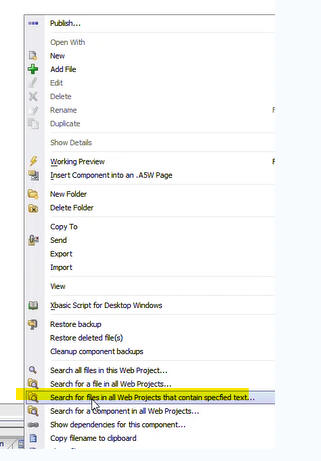
A new search option is available when you right-click on white space in the Web Projects Control Panel. This option allows you to search for a file that contains the specified text.
The search is performed across all web projects in the current workspace. To speed up the search, you can filter the projects and files that are searched.
Search Options
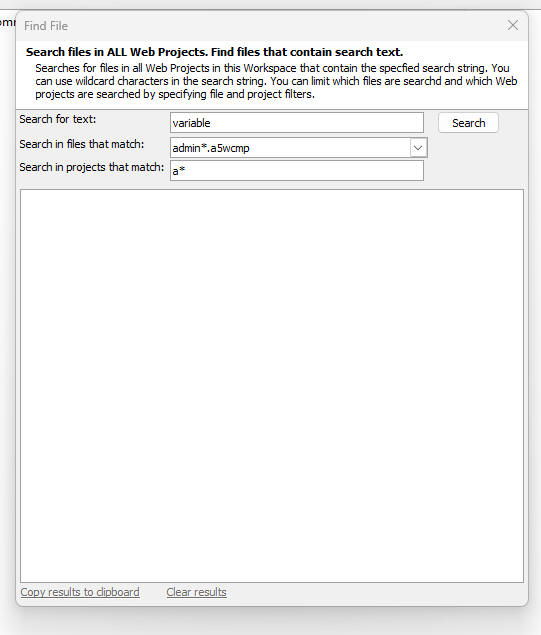
The Find File dialog allows you to refine your search:
- Search for text
Enter the specific text string you want to find inside the files.
- Search in files that match
Use wildcards (e.g., `*.a5wcmp`, `*.html`) to restrict the search to specific file types.
- Search in projects that match
Use wildcards (e.g., `Alpha*`) to restrict the search to projects with matching names.
Accessing the Search
Right-click on any white space in the Web Projects Control Panel and select Search for files in all Web Projects that contain specified text....