Weather Control
Description
The Weather Control is a pre-built data control for the UX Component that displays current weather information for a specified city using data from Accuweather.com.
Discussion
The Weather Control provides a quick way to integrate real-time weather data into a mobile or web application. The control leverages the Accuweather.com API to retrieve data. To use this control, you must obtain a valid API key from the Accuweather Developer Portal.
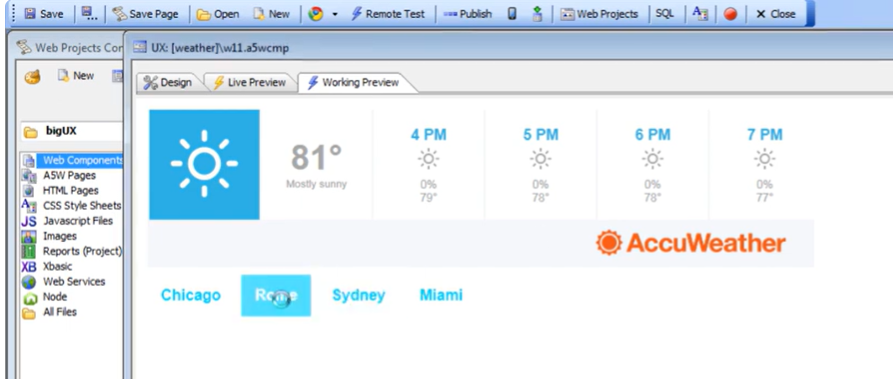
Adding a Weather Control
The Weather Control is added to a UX component as a specialized data control. Use Add Control or locate it in the [More..] section of the Data Controls toolbox.
In the UX Builder, open the Data Controls menu.
Click on [More..] at the bottom of the list.
Select Weather from the Select Control dialog.
Weather Control Properties
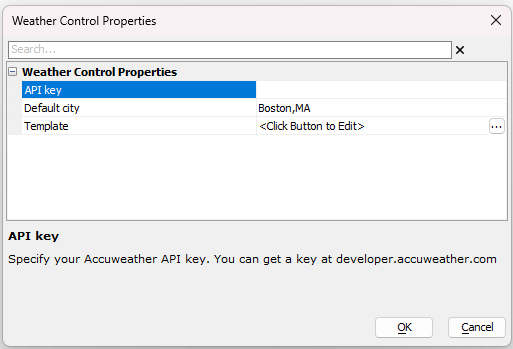
The following properties are used to configure the Weather control:
- API key
Specify your Accuweather API key. You can get a key at developer.accuweather.com.
- Default city
Specify the default city for which weather will be shown (e.g., Boston,MA).
Note: You can use the {dialog.object}.setValue() method on this control to set a different city at runtime.
- Template
Specify the template to use to render the control. If you leave this blank, a default template is used.
Videos
How to add a Weather Control
This video demonstrates the process of adding the Weather control to a UX component and configuring it to display weather for a specific city.
See Also