Video - Data Bound Control
Description
The Video - Data Bound control displays dynamic video content by binding to a database field or data source that contains a video URL or file path.
Discussion
The Video - Data Bound control is a specialized version of a standard UX data control. While the Video Player control is used for static media, the Video - Data Bound control is designed for dynamic applications where the video content changes based on the current record (e.g., a product catalog or an inspection report).
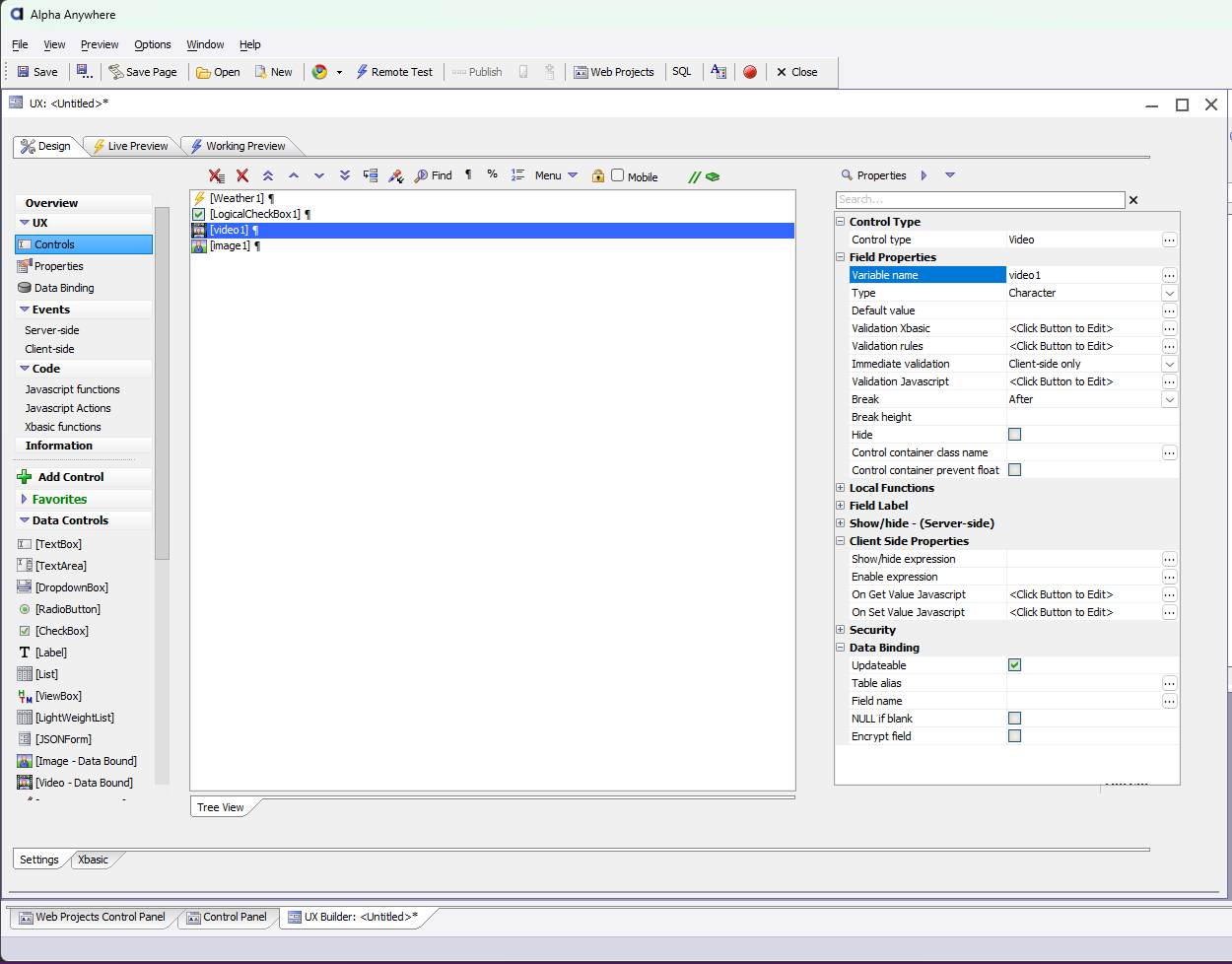
Unlike most other controls, this control does not have a unique Properties dialog. It is configured through the standard UX field property grid.
Adding a Video - Data Bound Control
To add the control, locate it in the [More..] section of the Data Controls toolbox in the UX Builder.
In the UX Builder, open the Data Controls menu.
Click on [More..] at the bottom of the list.
Select Video - Data Bound from the Select Control dialog.
Properties and Configuration
The Video - Data Bound control is configured using standard field and data binding properties:
- Variable name
The name used to refer to the control in Javascript or Xbasic (e.g., video1).
- Updateable
Specify if the control's value should be saved back to a database field when the UX is submitted.
- Table alias / Field name
Defines the specific database table and field that contains the video URL or file path.
- Security Groups
Restrict visibility of the video control to specific user groups defined in the security framework.
See Also