TransForm FormDataView Control
Description
The TransForm FormDataView control allows you to display and edit data in a TransForm form using a UI consistent with the TransForm Central Management Console.
Discussion
The TransForm FormDataView control allows you to display data from a TransForm form within a UX component. This control mimics the appearance and behavior of form data as it is displayed in the TransForm Central Management Console. Additionally, you can use the control to edit form data directly.
- Name
- Description
- TransForm Data Viewer Control Methods
Javascript methods available for interacting with the TransForm Data Viewer control.
- TransForm Data Viewer Properties
A complete reference of configuration settings, templates, CSS, and events for the TransForm Data Viewer control, including property dependencies.
Adding the Control
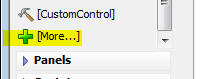
To add a TransForm FormDataView control to a UX component, select the [More..] item in the Data Controls section of the UX Builder.
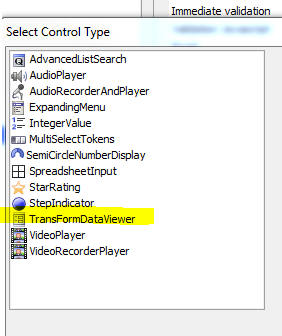
Next, select TransFormDataViewer from the list of additional controls.
Configuration
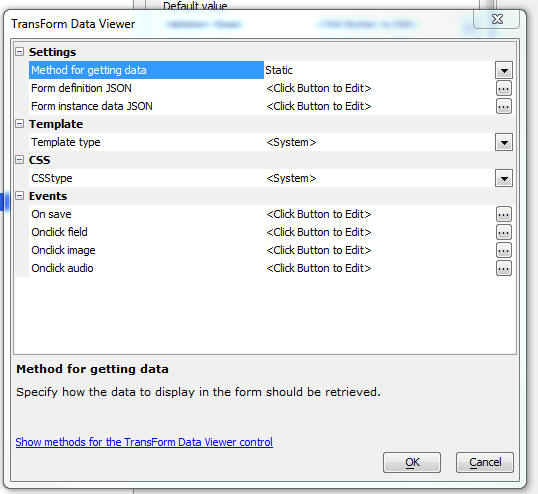
Click the smart field for the Custom Control properties to configure the control. The configuration dialog allows you to define the source for the form data and definition.
Data Sources
The TransForm FormDataView must be populated with both the form data to display and the form definition. You can specify the source for this information:
- Static
Manually enter the JSON form data and form definition. This is primarily useful for testing during development.
- API
Make a call to the TransForm API to retrieve the data and definition for a specific form instance ID (forminstanceid).
- Xbasic
Call a custom Xbasic function that returns the form data and form definition as JSON.
Methods
The TransForm FormDataView control exposes several methods. Detailed information about these methods can be accessed by clicking the hyperlink within the configuration dialog.
See Also