Light Weight List – Import Settings From List
Description
If your UX component already contains one or more List controls based on SQL data sources, you can configure a new Light Weight List by importing settings from an existing List. This can greatly reduce setup time and ensure consistent configuration between controls.
Overview
The Import from List option allows a Light Weight List to inherit configuration from an existing List control in the same UX component. This can include the connection string, table name, selected columns, and their order.
This option eliminates manual re-entry of common settings and helps maintain consistency when migrating from a traditional List control to a Light Weight List.
The imported configuration preserves the visible column order and the selected fields from the original List control, allowing the newly created Light Weight List to match the List’s layout immediately after import.
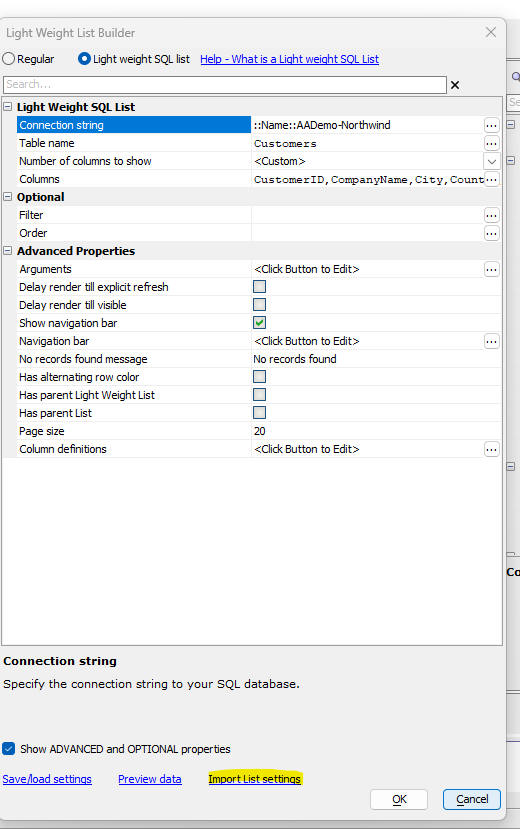
Import Settings From List
This video demonstrates how to configure a Light Weight List by importing settings from an existing List in the same UX component.
See Also