Light Weight List – Default Value and Readonly
Description
You can specify Javascript to define the default value for a field in the new record row and to determine whether a field in a particular row should be readonly.
Overview
Light Weight List columns can be configured with client-side logic that computes default values and controls when a column can be edited. This makes it easy to enforce business rules such as pre-filled values for new rows and conditional editing restrictions.
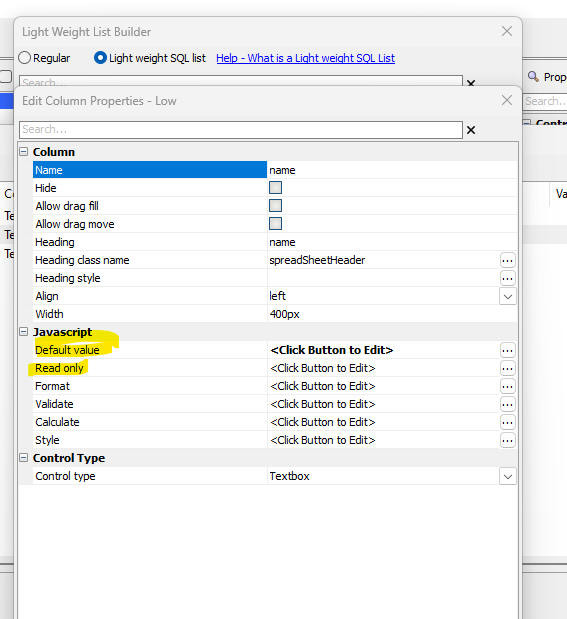
Default value for new record rows
For each column, you can provide Javascript that computes the default value for the new record row. The expression is evaluated when the new row is created and the resulting value is assigned to the column.
Typical uses include setting the current date or user, copying values from another control, or applying application-specific defaults such as initial status values.
Marking fields as readonly
You can also specify Javascript to determine whether a field should be readonly for a particular row. The logic can inspect the current row’s data and return a value that indicates whether the column is editable.
Common scenarios include preventing edits after a record reaches a certain status, locking fields based on user role or permissions, or making system-generated fields readonly for all rows.
Related: date and datetime columns
This release also includes enhancements for date and datetime columns, allowing you to control whether a date picker is shown and to specify the display format for date values. For more information, see Date and Datetime Fields - Date Picker and Format.
See Also