Light Weight List – Date and Datetime Fields - Display Format
Description
You can set the display format for date and datetime fields in a Light Weight List. The selected format controls how date values are shown when the list is rendered.
Overview
Date and datetime columns in a Light Weight List can use a configurable display format. This allows you to match application requirements, regional conventions, or database formatting rules.
The format you choose determines how values appear in the list for all rows, including existing, new, dirty, and readonly rows.
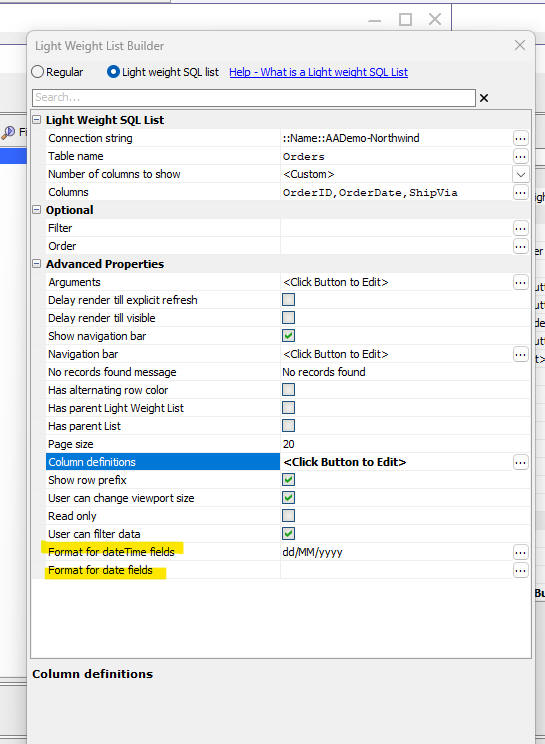
Setting the display format
To set the display format for a date or datetime column, open the column properties for the Light Weight List and choose the display format for that field. Supported formats include standard date patterns (such as “mm/dd/yyyy” or “dd-MMM-yyyy”) as well as datetime formats that contain both date and time components.
Date and Datetime Display Format
This video demonstrates how to configure display formats for date and datetime fields in a Light Weight List.
See Also